Update:  I have a potential workaround for the git issues, see the next reply for details.
I may have spoken too soon 
The Push local code to your IDE command worked yesterday, but it’s not working today.
I’ll detail the exact steps in case it helps spot the issue (including a potential error on my part).
Yesterday
The Push local code to your IDE command worked successfully. I saw the initial commit successfully reflected in the phoenix.new IDE. And I saw the commit from the agent terminal using git log.
I made no other changes last night on either phoenix.new or locally.
Today
Today I made a small change to some files in my local development. I committed the latest changes locally.
I used the git push --quiet fly main command, which understandably failed with the error:
remote: ========================================================================
remote: !!! Your phoenix.new git remote token has expired !!!
remote:
remote: Retry with a new git remote token from your https://phoenix.new dashboard
remote: =========================================================================
So I did a git remote rm fly. Then I went back to the IDE and copied the latest code from the Push local code to your IDE. That succeeded.
I didn’t see the changes in the IDE. So I tried the Restart IDE action. After a restart, I still didn’t see the files changed.
In the phoenix.new agent terminal I ran git log -n 2 and saw yesterdays commit but not today’s:
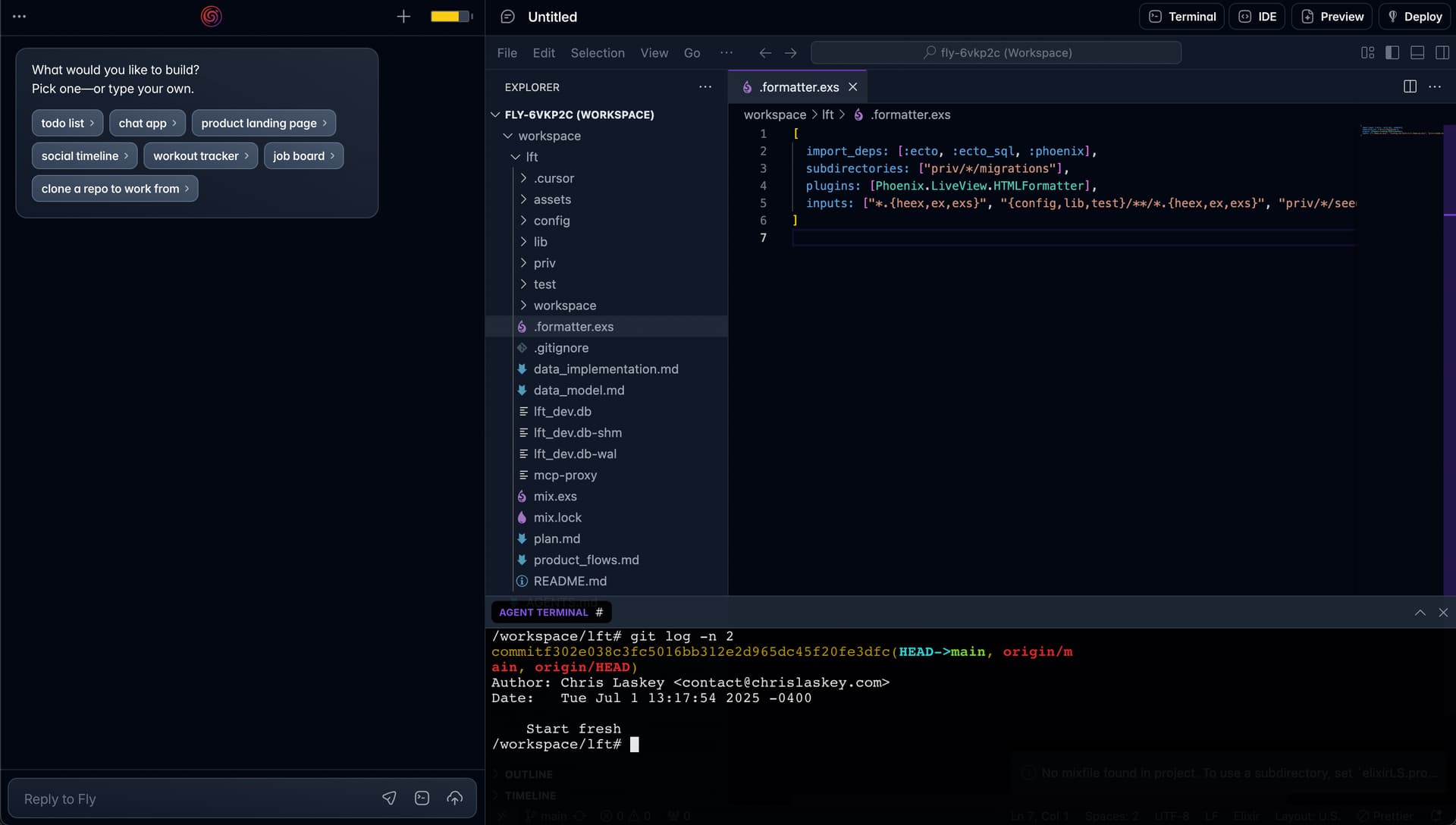
In my local environment, I see both:

Discussion
No other changes have been made. Any ideas on what the issue could be?
I may have the wrong mental model of how this is supposed to work. I am assuming it’s possible to do bi-directional development where code is updated in either environment using git. Maybe the Push local code to your IDE more of a “one time” import action at the moment?